Expedia AI Trip Planner

Trip planning can feel overwhelming when you are juggling destinations, dates, hotel options, and activities across several websites. Expedia has introduced AI powered planning features designed to simplify the process. These tools give travelers personalized suggestions, organize activities into a draft itinerary, and adjust recommendations as you refine your preferences. The result is a faster and more intuitive way to plan your next trip.
What Expedia’s AI Trip Planner Does
Expedia’s AI features help travelers make informed decisions without spending hours comparing options. The system pulls information from hotels, neighborhoods, transportation, activities, and pricing to shape a plan that aligns with your travel style. You can tailor your trip by specifying the kind of experiences you enjoy and the pace you prefer, whether that means museums, nightlife, food, culture, or outdoor adventures.
After you enter your destination and dates, the AI generates an itinerary that includes suggested things to do, recommended hotels, and insights about the surrounding area. It feels similar to having a digital travel assistant that organizes the essentials for you.
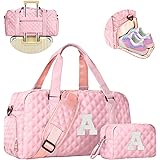
Elilier Easter Gifts for Women Girls, Travel Duffle Bag: Personalized Weekender Dance Cheer bag Sports for Girl, Gymnastics Bags, Birthday Gifts for Women Girls Kids Teens
$33.99 (as of March 24, 2026 04:40 GMT +00:00 - More infoProduct prices and availability are accurate as of the date/time indicated and are subject to change. Any price and availability information displayed on [relevant Amazon Site(s), as applicable] at the time of purchase will apply to the purchase of this product.)
LOVEVOOK Laptop Tote Bag for Women 15.6 In Work Bags with Triple Compartments Large Faux Leather Computer Office Briefcase
$32.99 (as of March 24, 2026 04:40 GMT +00:00 - More infoProduct prices and availability are accurate as of the date/time indicated and are subject to change. Any price and availability information displayed on [relevant Amazon Site(s), as applicable] at the time of purchase will apply to the purchase of this product.)How to Use It Step by Step
Using the Expedia AI Trip Planner is simple.
- Open the Expedia app
- Enter your destination and travel dates
- Add interests or priorities such as family activities, local culture, food, shopping, beaches, or nightlife
- Review the recommended itinerary
- Customize the plan by adding or removing activities
- Save the suggestions or convert them into a full trip within your account
The more details you provide, the more personalized your results will be.
.png)
Example: Planning a Five Day Trip to London
Imagine you want to spend five days in London. You open the Expedia app, enter your dates, and select your interests. The AI may suggest neighborhoods that match your travel goals such as Covent Garden for energy and entertainment or South Kensington for museums and walkability. It may also include a mix of activities like river cruises, food markets, historical tours, and West End shows.
Expedia’s AI also highlights hotels in convenient locations and gives insight into average pricing during your travel window. You can adjust the itinerary to suit your pace and save the final version for easy reference.
Benefits of Using Expedia’s AI Trip Planner
This feature is helpful for travelers who want to streamline their planning.
- It saves time by pulling options into one place
- It reduces decision fatigue
- It updates automatically with new pricing and availability
- It works well for solo trips, couples, families, and business travel
- It helps you discover experiences you may not have considered
The biggest benefit is that it removes the need to switch between multiple platforms to gather ideas.
Tips for Getting Better Results
You can improve your results with a few simple adjustments.
- Be specific about your interests
- Try different trip styles such as relaxed, busy, or balanced
- Use filters to refine hotel budgets or amenities
- Explore multiple itinerary drafts to see what appeals to you
- Save your favorites to compare options
The tool performs best when you give it clear direction.
Why Expedia’s AI Stands Out
Many travel platforms offer planning tools, but Expedia’s approach feels more integrated. Hotels, activities, flights, and pricing are accessible in one view. This makes it easier to understand what a trip will look like before booking. Travelers who want a clear outline to guide their decisions will find this tool especially valuable.
Explore Expedia’s Trip Planner
Expedia also offers a Trip Planner that helps travelers organize hotel options, activities, and saved ideas in one place. It is a simple way to keep track of everything while you build your itinerary. You can save your favorite stays, compare experiences, collaborate on shared trips, and manage bookings without switching between multiple tabs.
Learn more here: https://www.expedia.com/why/trip-planning
Final Thoughts
Expedia’s AI Trip Planner provides a smarter way to explore destinations and organize travel details without the usual stress. Whether you are planning a weekend getaway or a multi country adventure, this feature can help you create a well rounded itinerary quickly. It is worth trying for your next trip, especially if you want a planning process that feels more natural and intuitive.
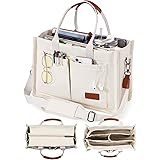
FIORETTO Canvas Tote Bag for Women with Zipper Closure & Individual Compartments for Work College for Teacher & Nurse
$19.99 (as of March 23, 2026 17:27 GMT +00:00 - More infoProduct prices and availability are accurate as of the date/time indicated and are subject to change. Any price and availability information displayed on [relevant Amazon Site(s), as applicable] at the time of purchase will apply to the purchase of this product.)
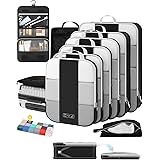
BAGAIL 4 Set/6 Set/8 Set Compression Packing Cubes Travel Accessories Expandable Packing Organizers (Half Mesh, 6-Black)
$19.99 (as of March 24, 2026 03:08 GMT +00:00 - More infoProduct prices and availability are accurate as of the date/time indicated and are subject to change. Any price and availability information displayed on [relevant Amazon Site(s), as applicable] at the time of purchase will apply to the purchase of this product.)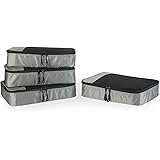
Amazon Essentials 4-Piece Packing Cubes Travel Accessories Set, Space-Saving Luggage Organizer with Double Zipper, Mesh Top Panel, Medium, Gray (Previously Amazon Basics)
$11.45 (as of March 24, 2026 03:08 GMT +00:00 - More infoProduct prices and availability are accurate as of the date/time indicated and are subject to change. Any price and availability information displayed on [relevant Amazon Site(s), as applicable] at the time of purchase will apply to the purchase of this product.)
6 Pack Luggage Tags Travel Essentials & Cruise Essentials for NCL, Princess, Carnival, Royal Caribbean & Celebrity Cruise Ships by SEAVILIA
$5.99 (as of March 24, 2026 03:08 GMT +00:00 - More infoProduct prices and availability are accurate as of the date/time indicated and are subject to change. Any price and availability information displayed on [relevant Amazon Site(s), as applicable] at the time of purchase will apply to the purchase of this product.)